> ## Documentation Index
> Fetch the complete documentation index at: https://help.rollups.com/llms.txt
> Use this file to discover all available pages before exploring further.
# Closing an RUV
## Starting the Closing Process
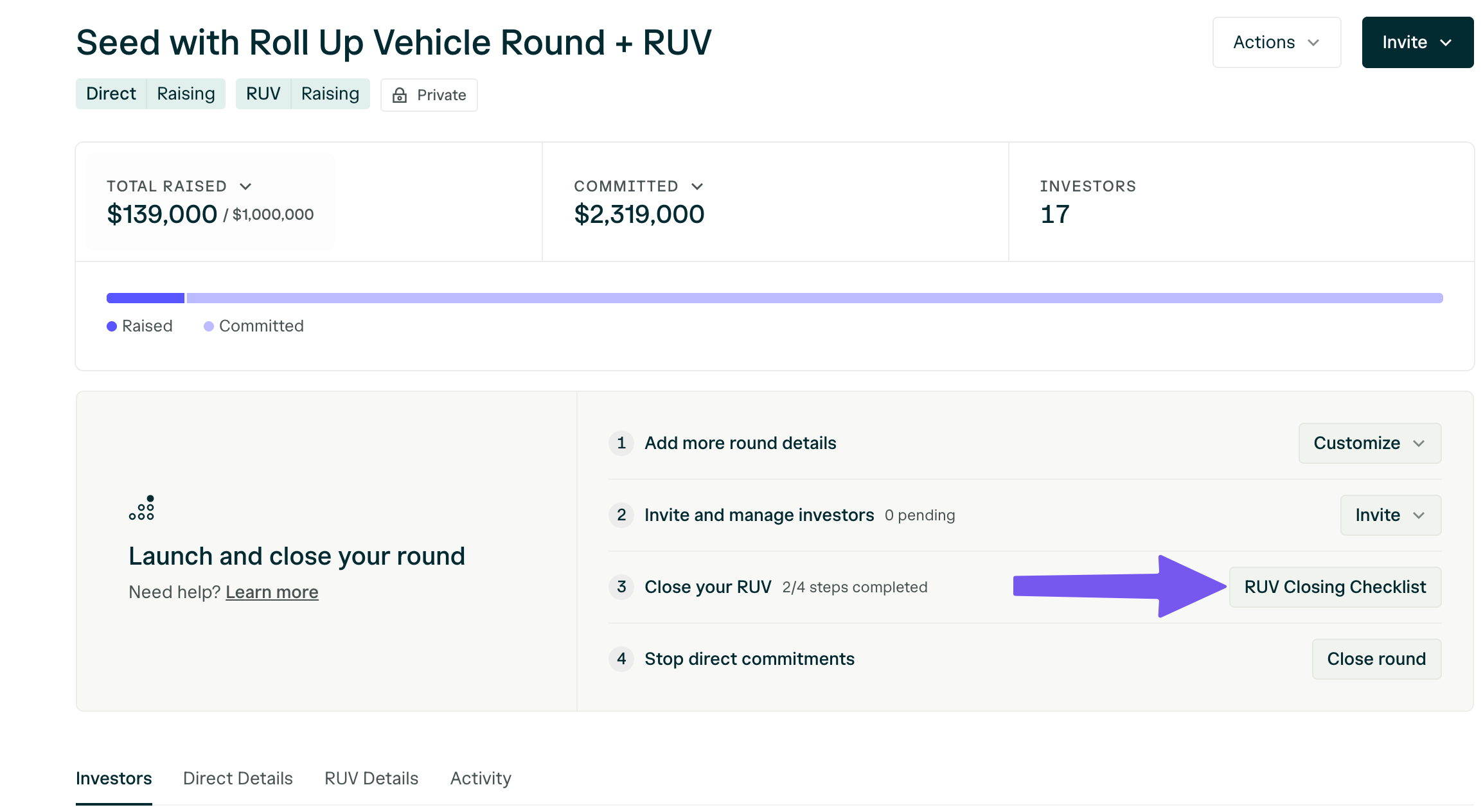
When you are ready to close your RUV, simply follow the instructions in the closing checklist.
Within your RUV dashboard, select "RUV Closing Checklist," as seen here:
 **You'll be prompted to complete the following steps:**
1. **Add and confirm your bank information.**
This is where you would like the funds to be disbursed.
**You'll be prompted to complete the following steps:**
1. **Add and confirm your bank information.**
This is where you would like the funds to be disbursed.
 *Add the bank account where you’d like to receive RUV funds.*
 *Select your bank account and press Save.*
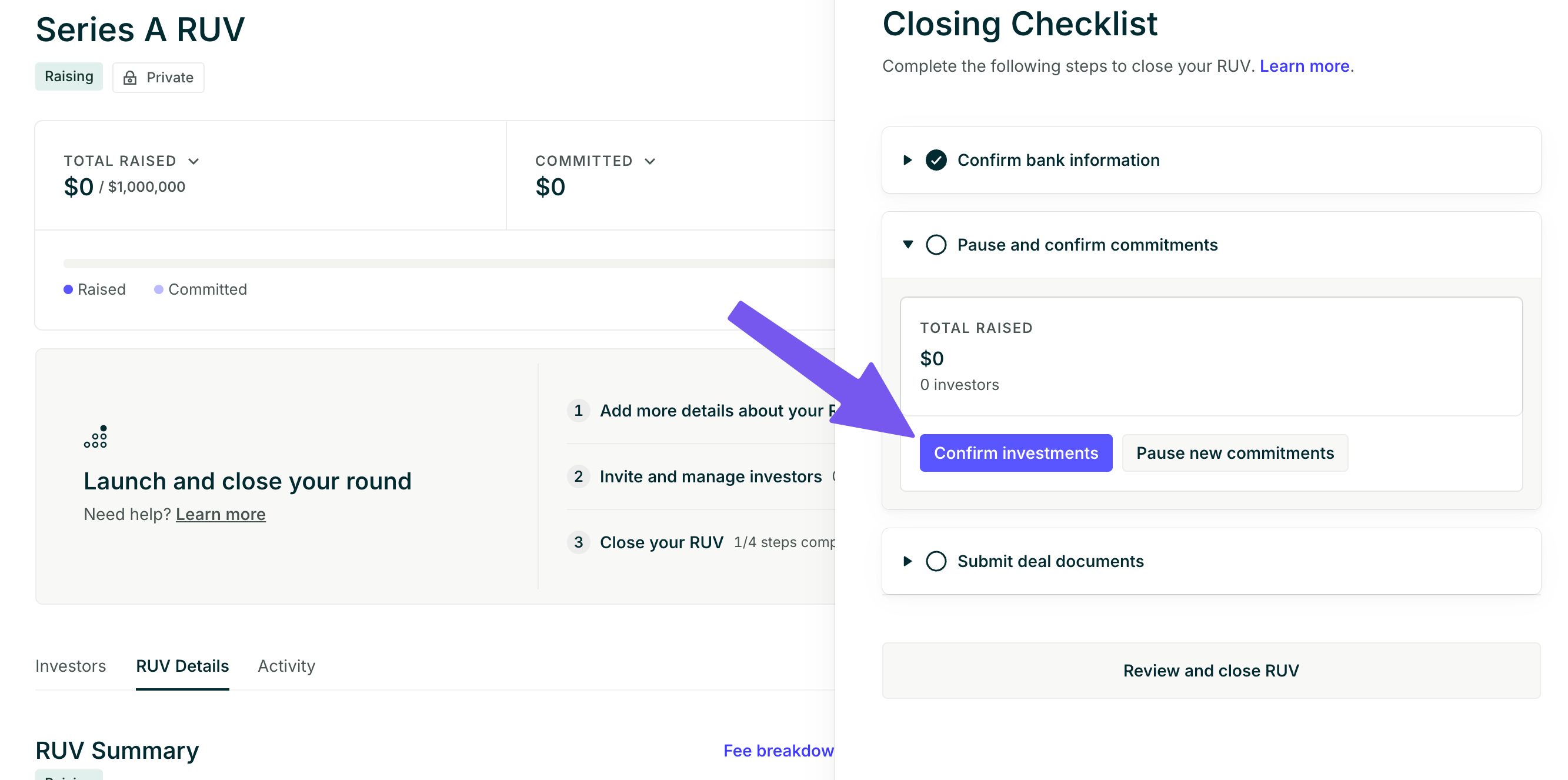
2. **Confirm the existing commitments and pause your RUV to new commitments.**
This closes the round to new investors and confirms that the amount collected is the final amount that you would like to close with.
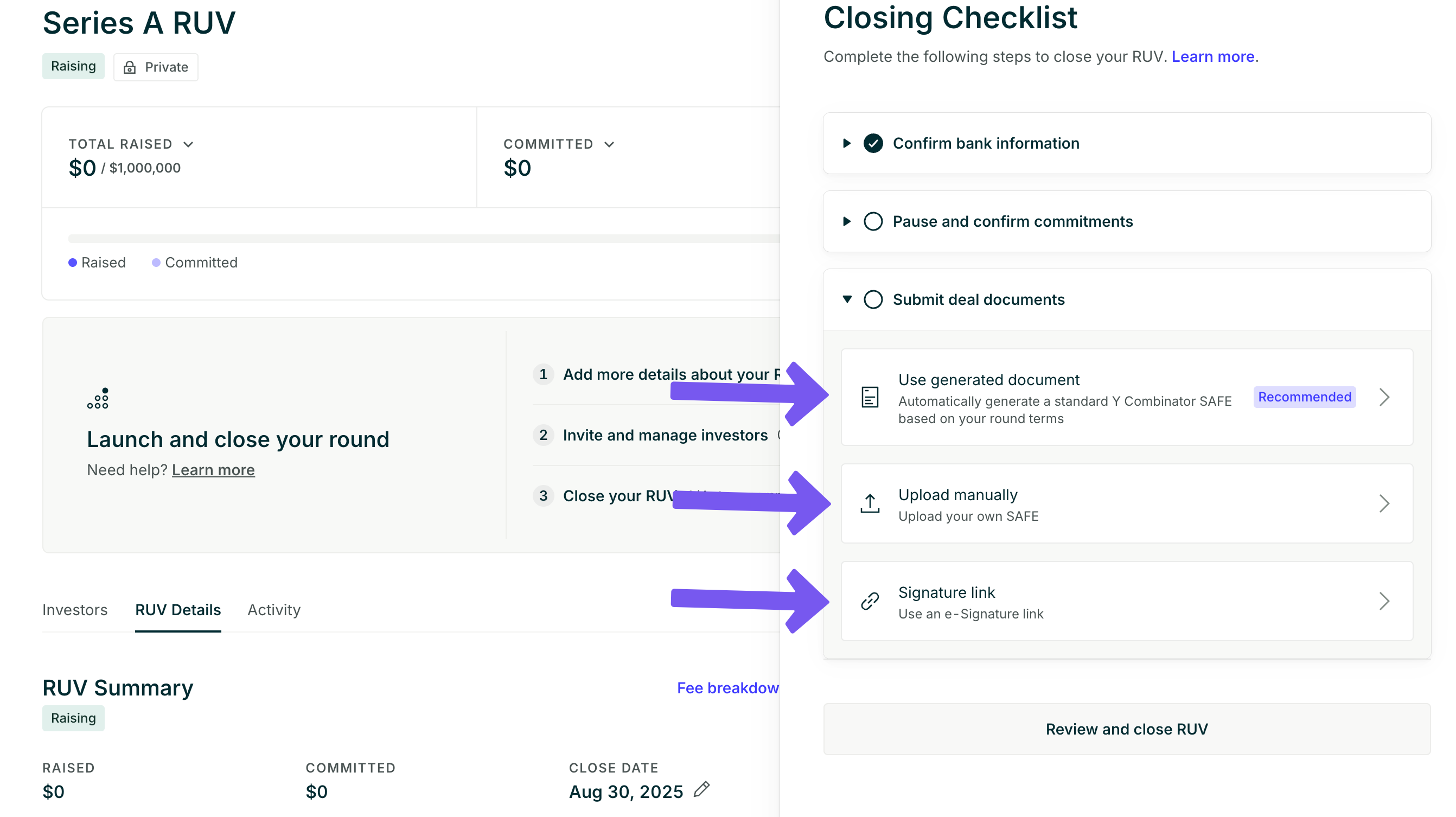
3. **Submit your final deal documents.**
You can either generate a standard Y Combinator SAFE with your terms, upload your own investment documents, or provide an e-signature link to your deal documents.
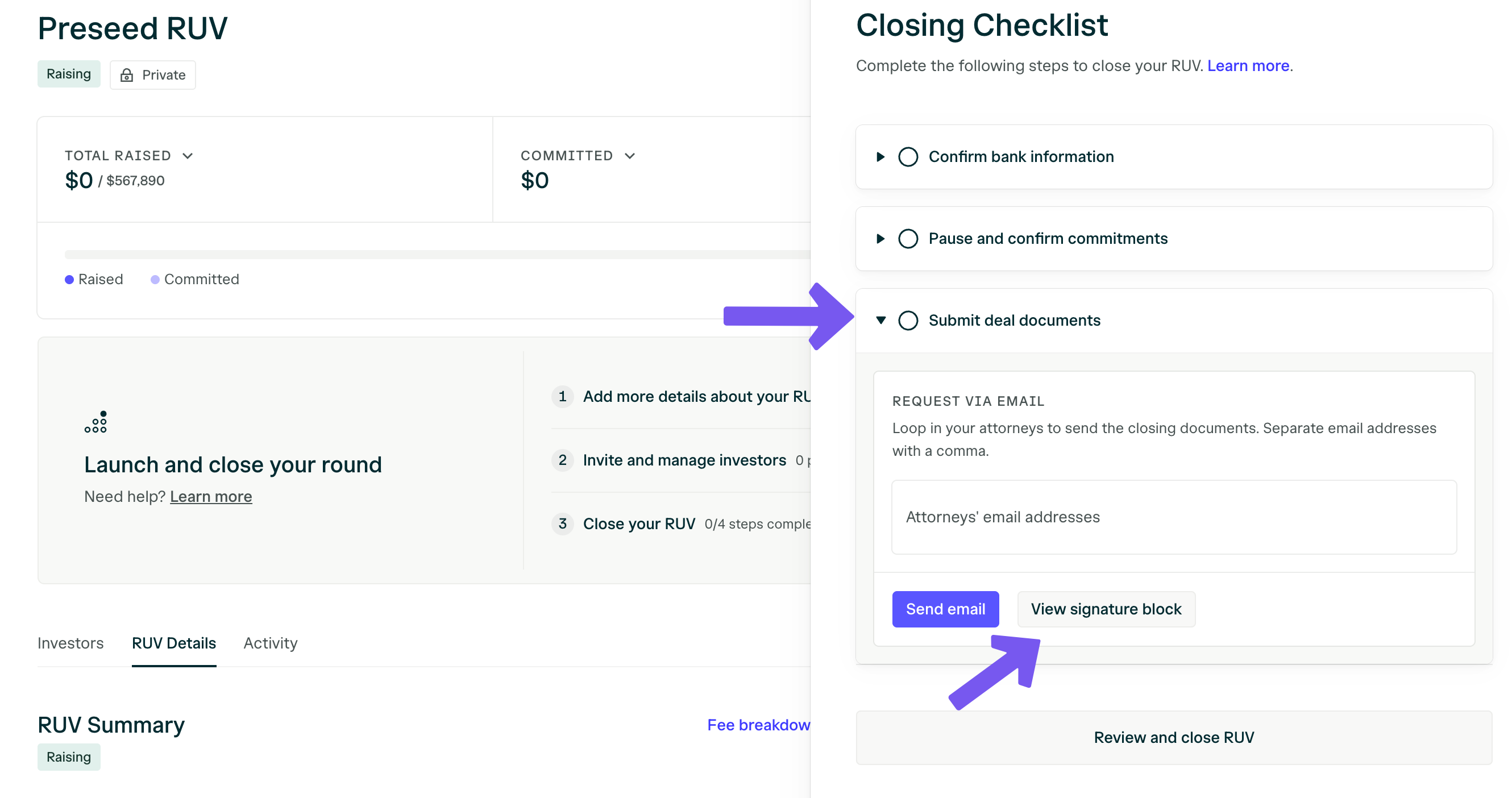
You can either upload your deal documents or provide an e-signature link. You can find the signature block for your investment documents by selecting "View signature block."
You'll be prompted to loop in your attorneys to send the closing documents. This will send an email, cc'ing you, that includes the round information, the signature block, and the documents needed to close the investment.
**Typical equity round documents include:**
* pro forma/cap table
* Stock Purchase Agreement
* Disclosure Schedule
* Voting Agreement
* Right of First Refusal and Co-Sale Agreement
* Investors' Rights Agreement
* Amended & Restated Certificate of Incorporation
You can send the signature packet on the thread or via an e-signature platform. If you are sending draft equity financing documents, confirm the valuation and specify the price per share and the exact wire amount based on the total raise in the RUV.
We cannot wire funds until all the investors have funded their commitments and completed the KYC review.
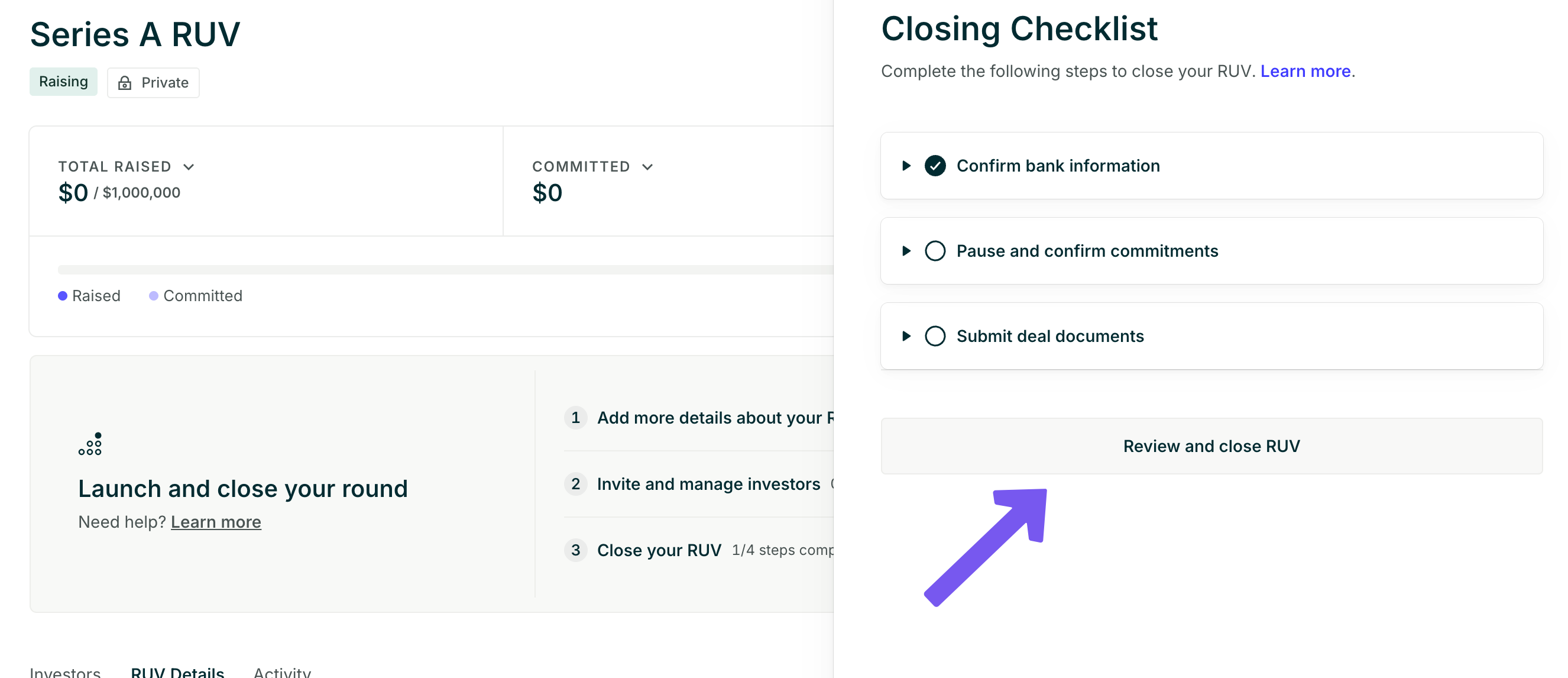
4. **Select "Review and Close RUV."**
This will lead to an overview of your round, allowing you to review your RUV fundraise. You will be shown the RUV invoice as well. At this point, you can "Confirm and begin transfer" to fully complete the closing process.
 ## Can I update the closing deadline?
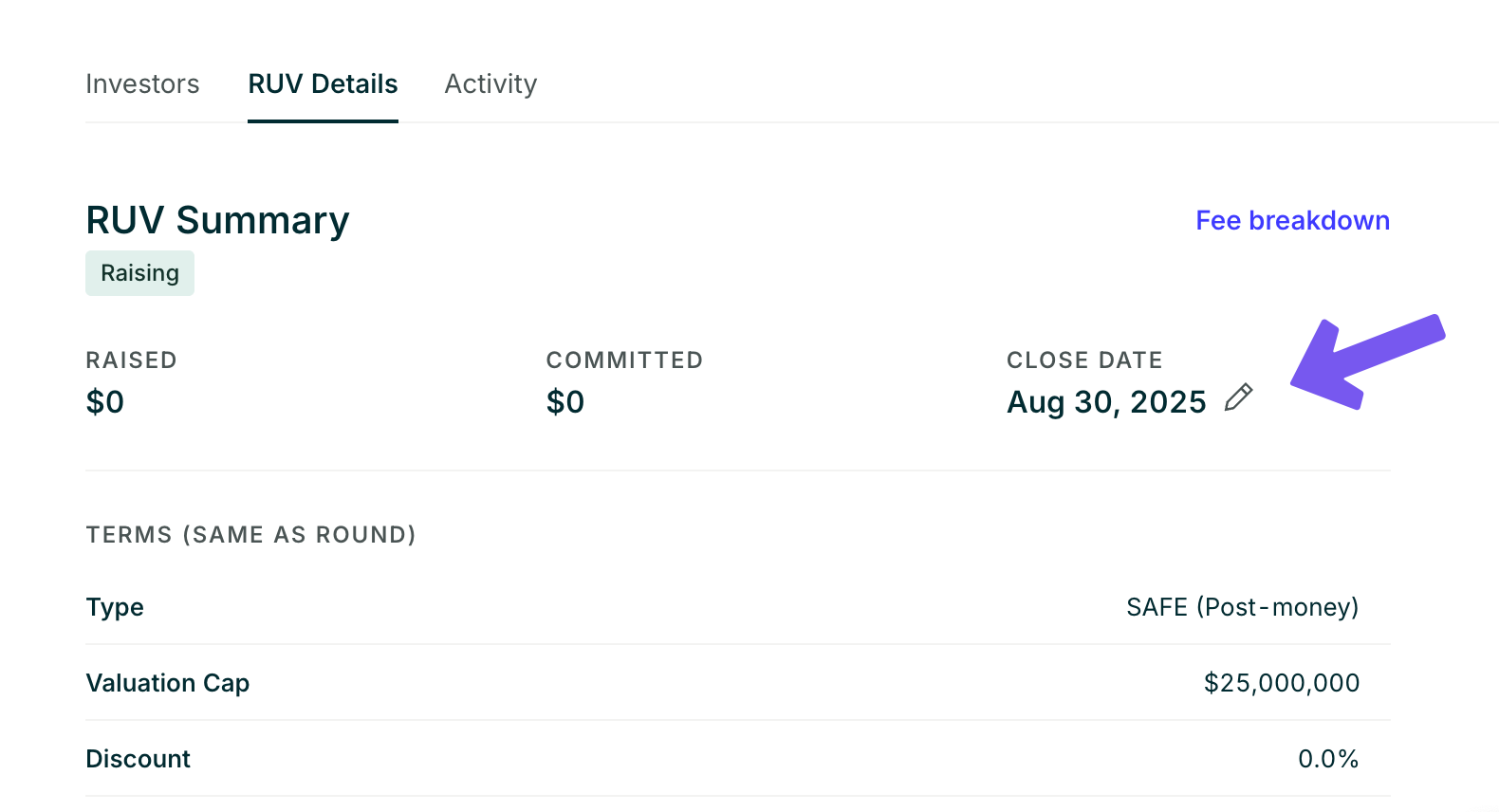
If you are not ready to close, you can update the deadline from your dashboard \[Close Date > Pen].
## Can I update the closing deadline?
If you are not ready to close, you can update the deadline from your dashboard \[Close Date > Pen].
 ## Get RUV Signature Block
AngelList will provide the signature block that has the legal name of the RUV, its address, and signatory information; this information is unique for each RUV. The signature block is available on your dashboard by clicking ‘RUV Closing Checklist,’ > ‘Submit deal documents’ > ‘View signature block.’
## Get RUV Signature Block
AngelList will provide the signature block that has the legal name of the RUV, its address, and signatory information; this information is unique for each RUV. The signature block is available on your dashboard by clicking ‘RUV Closing Checklist,’ > ‘Submit deal documents’ > ‘View signature block.’
 ## Can I close the RUV to new investors?
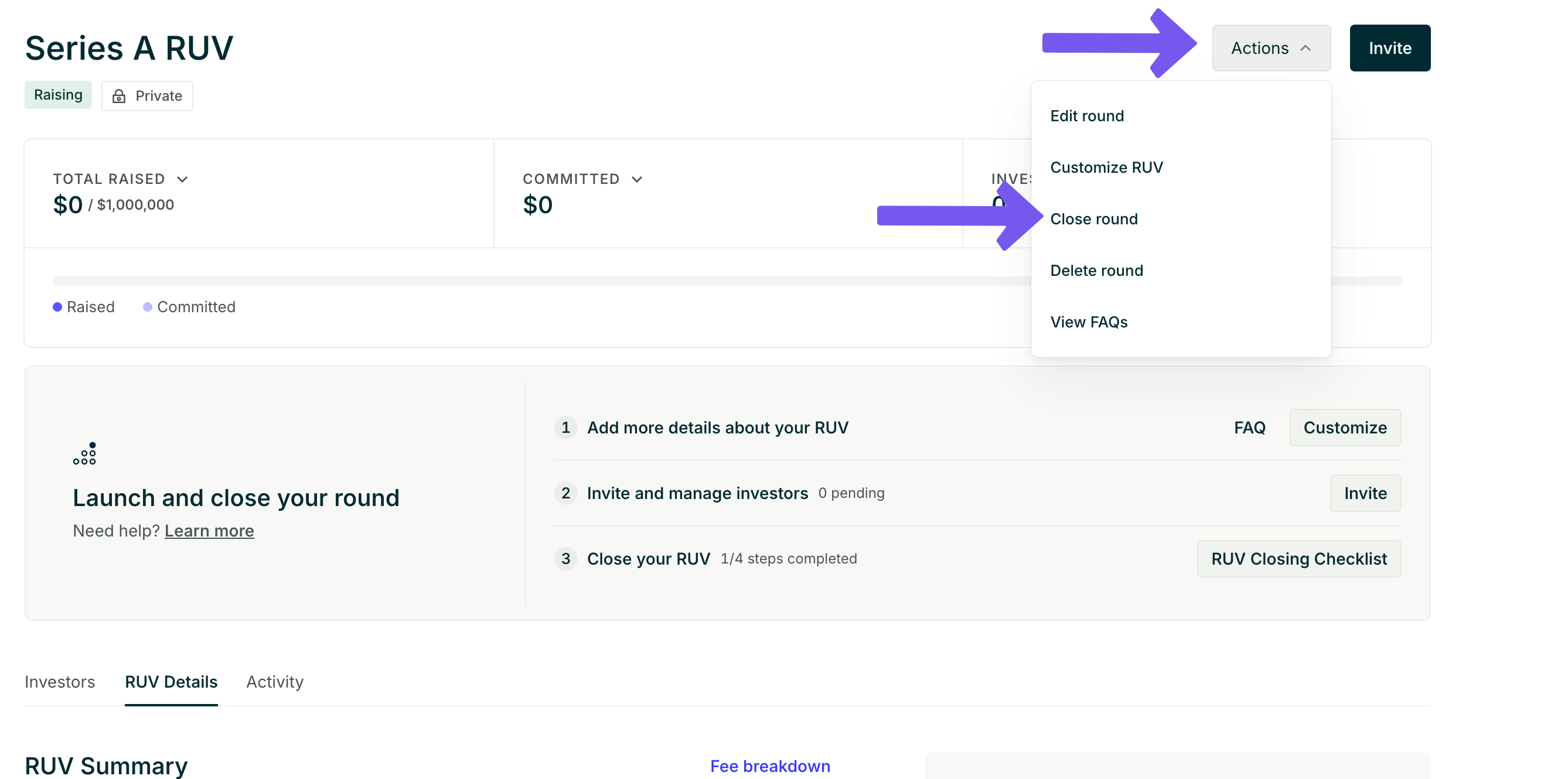
Yes, you can close the RUV to new investors by selecting ‘Actions’ in the top right-hand corner and then selecting ‘Close Round.’
## Can I close the RUV to new investors?
Yes, you can close the RUV to new investors by selecting ‘Actions’ in the top right-hand corner and then selecting ‘Close Round.’
 ## If I close the RUV, will pending investors be able to complete the process?
Yes, anyone who has already signed will be able to complete the investor closing flow, but new investors will not be able to commit to the RUV.
We can begin the closing process on our end even if all the investors have not completed the flow. That said, we will need all the investors to be marked as "completed" before we can wire the funds.
## Can I do multiple closes?
No, we're unable to do multiple closes or rolling closes. We can only close the RUV once, when all investors have committed and funded their investments.
## If I close the RUV, will pending investors be able to complete the process?
Yes, anyone who has already signed will be able to complete the investor closing flow, but new investors will not be able to commit to the RUV.
We can begin the closing process on our end even if all the investors have not completed the flow. That said, we will need all the investors to be marked as "completed" before we can wire the funds.
## Can I do multiple closes?
No, we're unable to do multiple closes or rolling closes. We can only close the RUV once, when all investors have committed and funded their investments.