

Starting the Closing Process
When you are ready to close your RUV, simply follow the instructions in the closing checklist. Within your RUV dashboard, select “RUV Closing Checklist,” as seen here: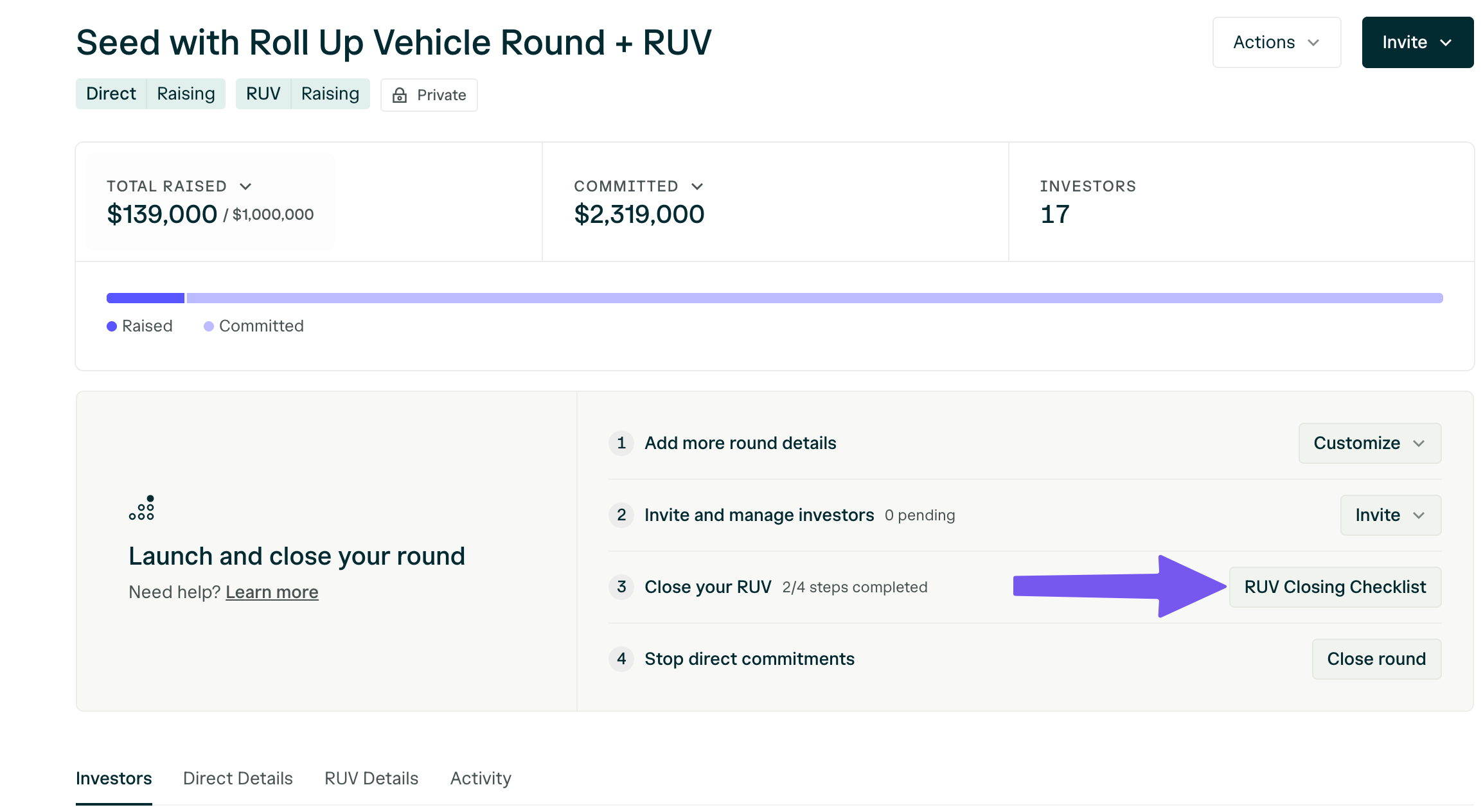
-
Add and confirm your bank information.
This is where you would like the funds to be disbursed.
 Add the bank account where you’d like to receive RUV funds.
 Select your bank account and press Save.
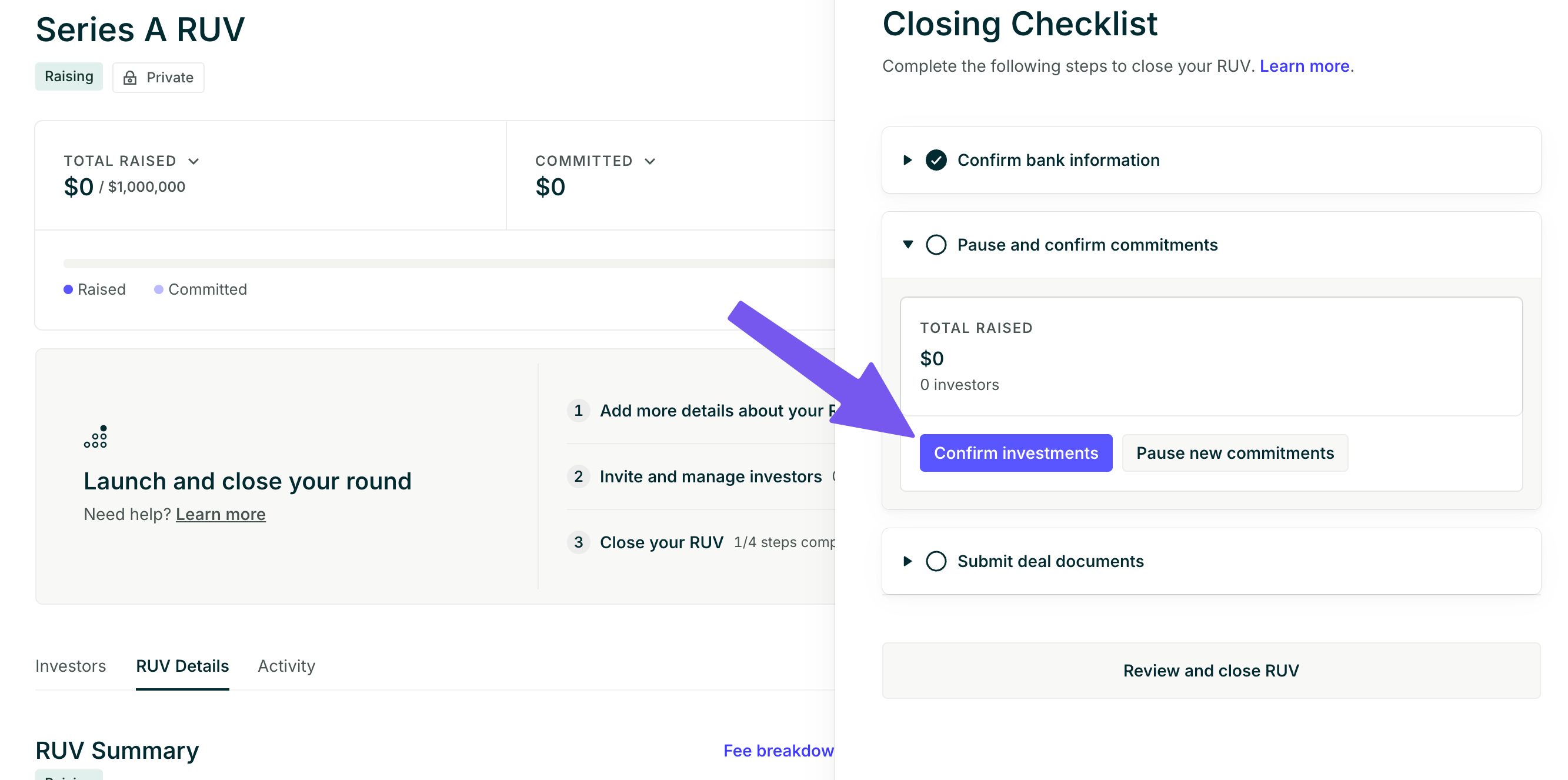
- Confirm the existing commitments and pause your RUV to new commitments. This closes the round to new investors and confirms that the amount collected is the final amount that you would like to close with.
-
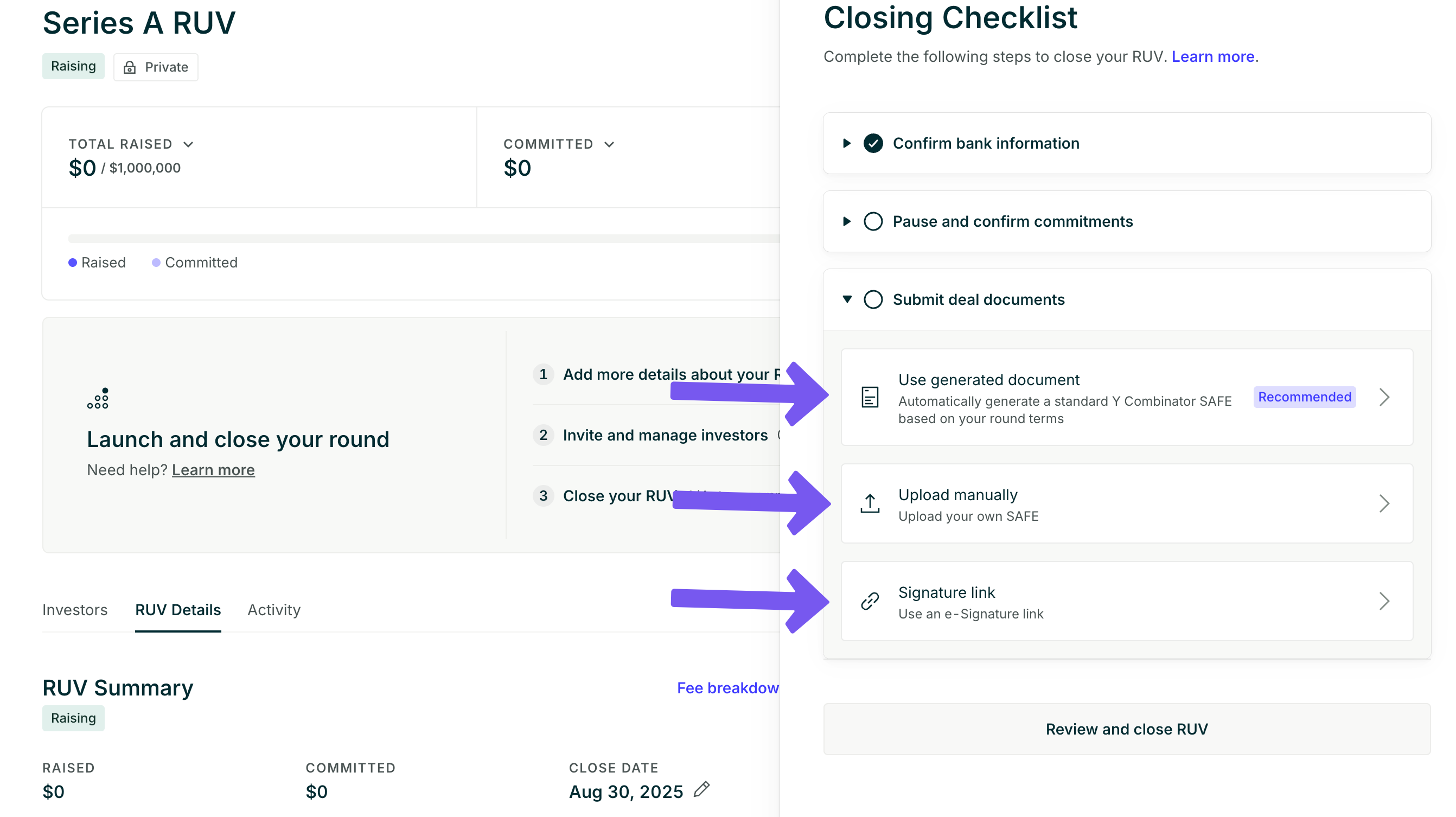
Submit your final deal documents.
For SAFE Rounds
You can either generate a standard Y Combinator SAFE with your terms, upload your own investment documents, or provide an e-signature link to your deal documents.For Convertible Note Rounds
You can either upload your deal documents or provide an e-signature link. You can find the signature block for your investment documents by selecting “View signature block.”For Equity Rounds
You’ll be prompted to loop in your attorneys to send the closing documents. This will send an email, cc’ing you, that includes the round information, the signature block, and the documents needed to close the investment.Typical equity round documents include:- pro forma/cap table
- Stock Purchase Agreement
- Disclosure Schedule
- Voting Agreement
- Right of First Refusal and Co-Sale Agreement
- Investors’ Rights Agreement
- Amended & Restated Certificate of Incorporation
We cannot wire funds until all the investors have funded their commitments and completed the KYC review.
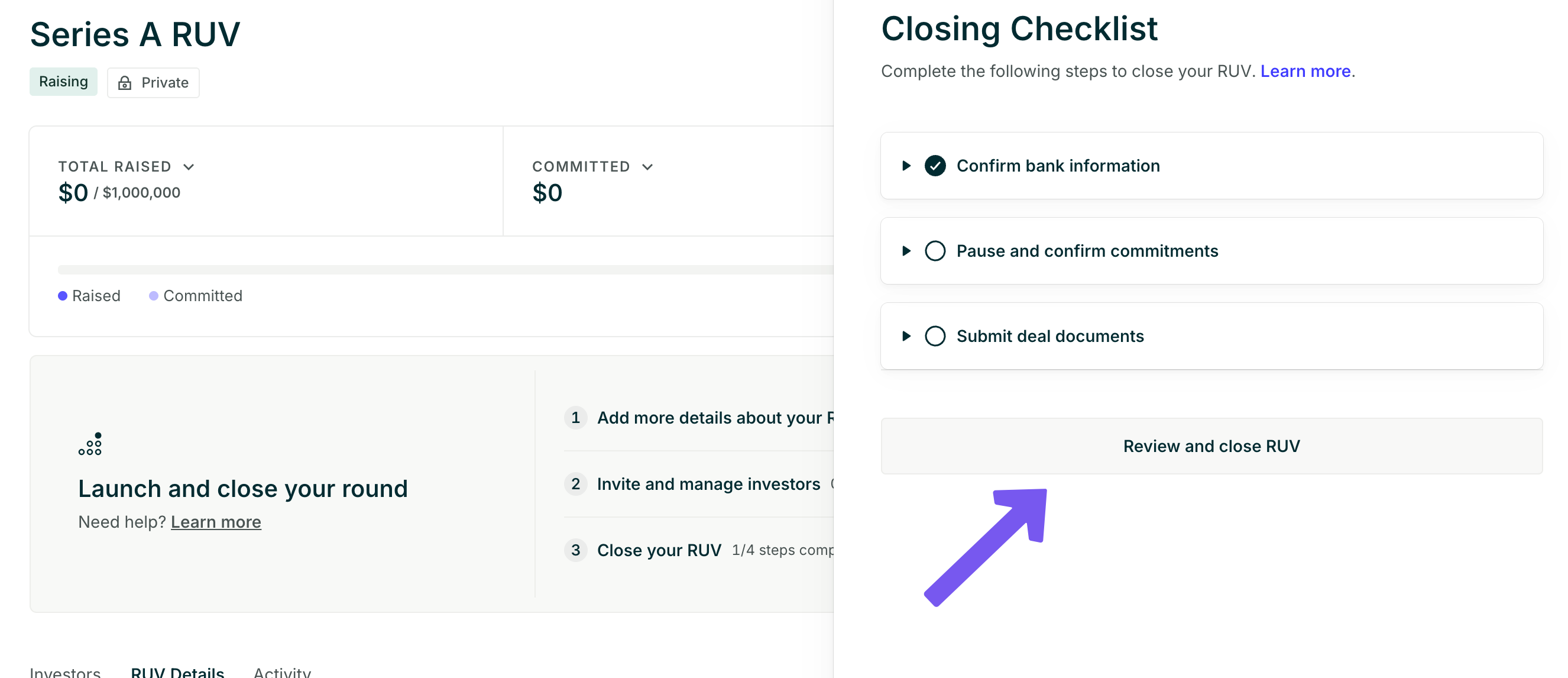
- Select “Review and Close RUV.” This will lead to an overview of your round, allowing you to review your RUV fundraise. You will be shown the RUV invoice as well. At this point, you can “Confirm and begin transfer” to fully complete the closing process.
Can I update the closing deadline?
If you are not ready to close, you can update the deadline from your dashboard [Close Date > Pen].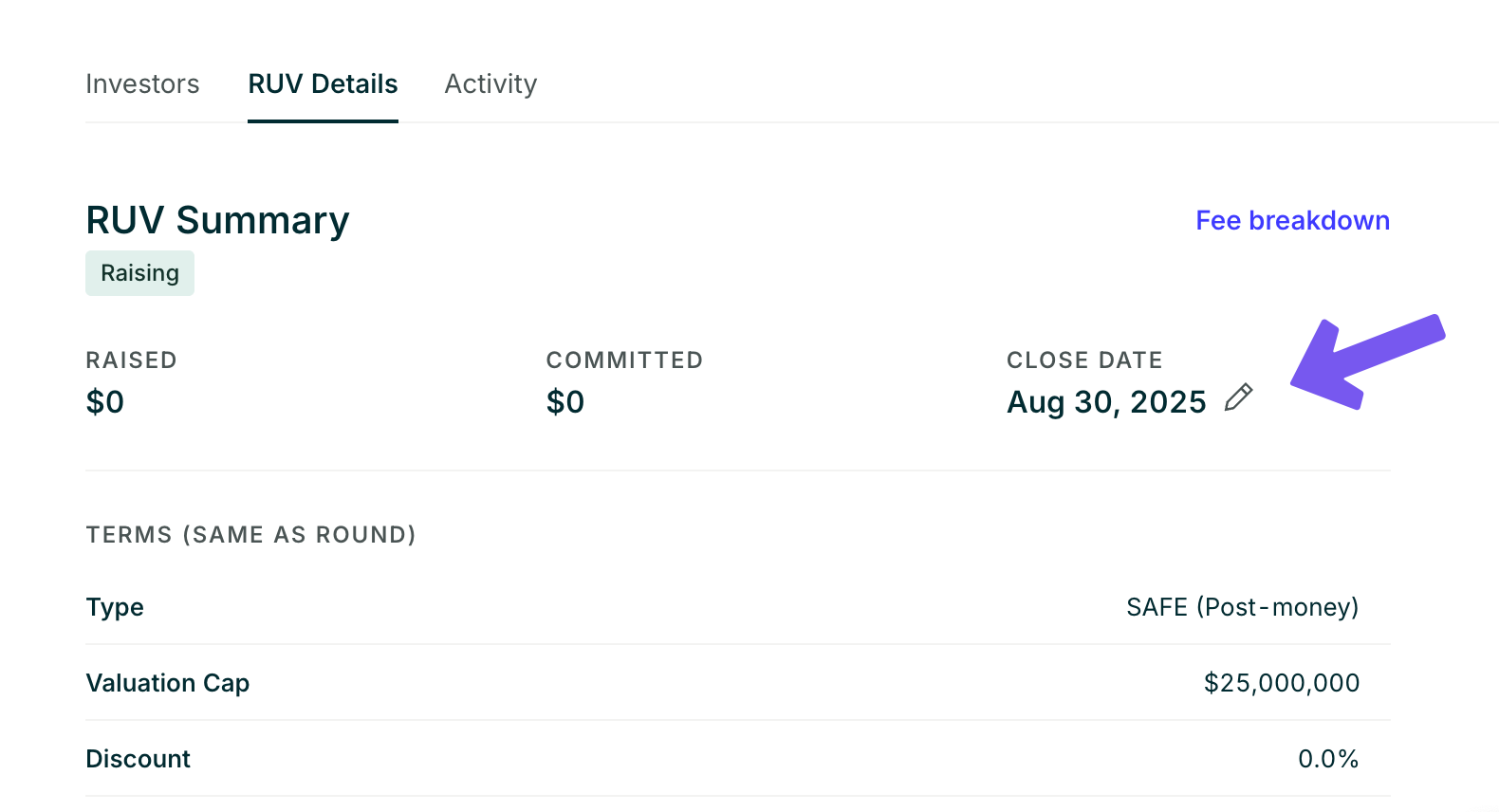
Get RUV Signature Block
AngelList will provide the signature block that has the legal name of the RUV, its address, and signatory information; this information is unique for each RUV. The signature block is available on your dashboard by clicking ‘RUV Closing Checklist,’ > ‘Submit deal documents’ > ‘View signature block.’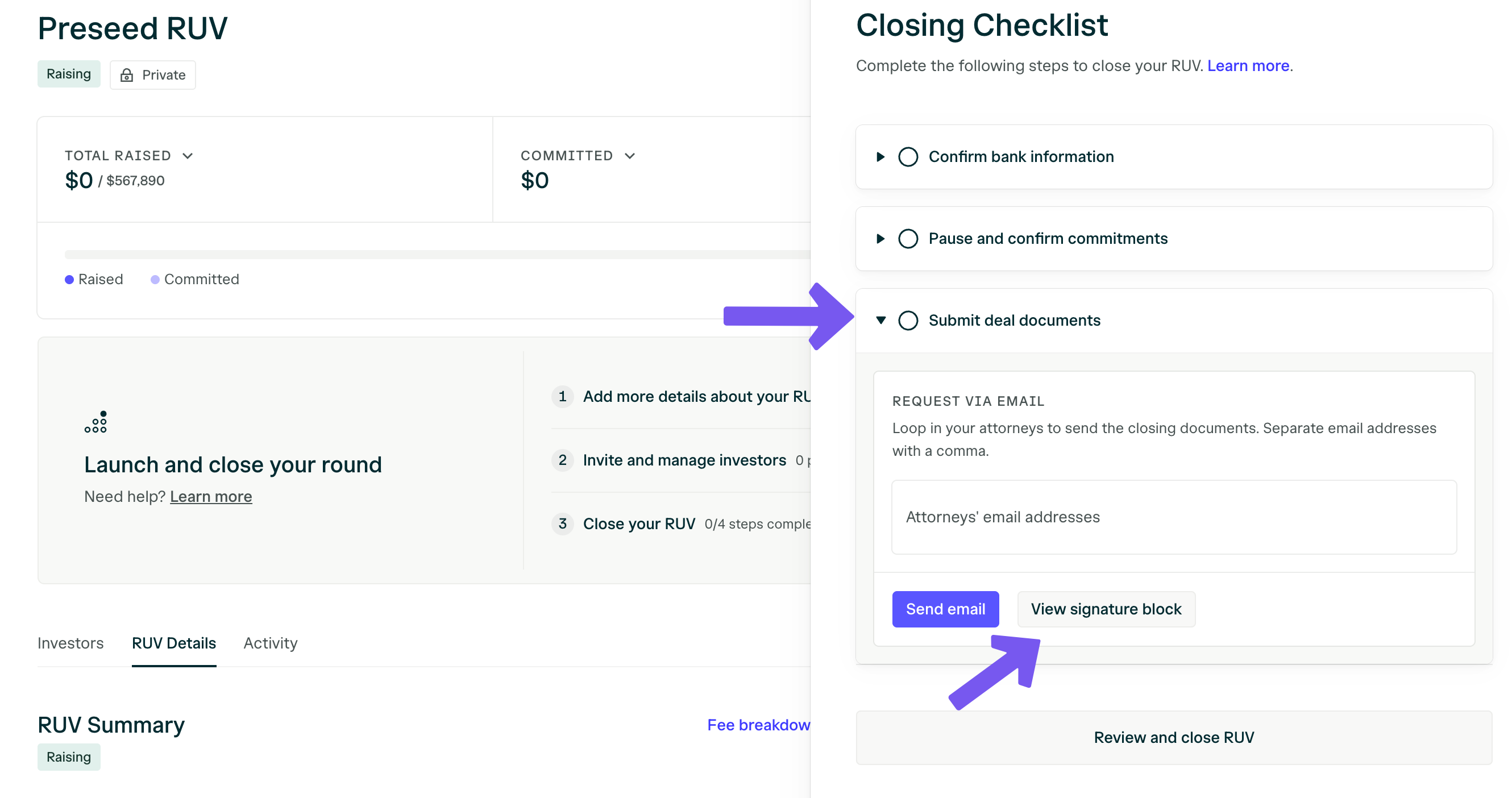
Can I close the RUV to new investors?
Yes, you can close the RUV to new investors by selecting ‘Actions’ in the top right-hand corner and then selecting ‘Close Round.’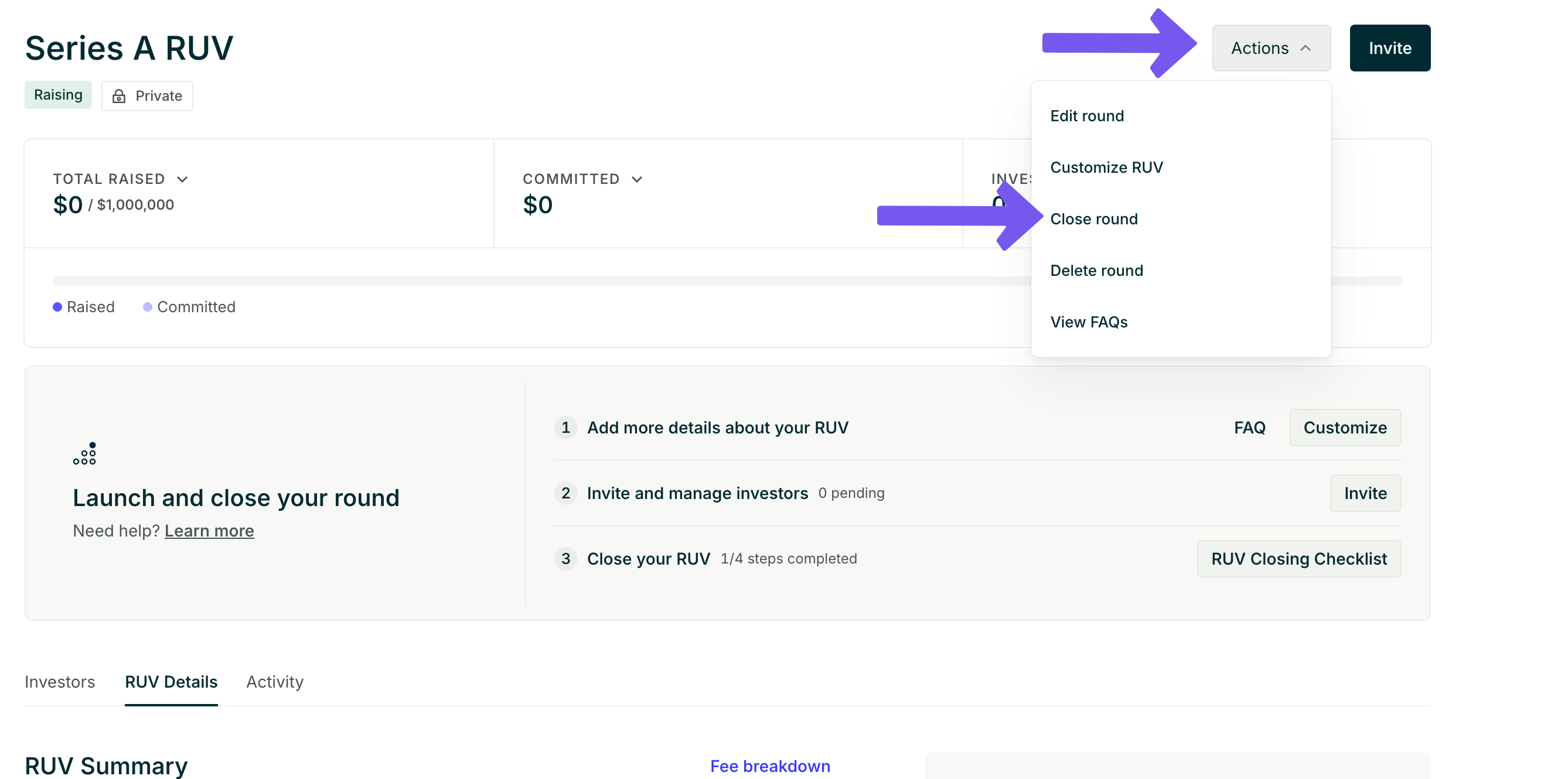
If I close the RUV, will pending investors be able to complete the process?
Yes, anyone who has already signed will be able to complete the investor closing flow, but new investors will not be able to commit to the RUV.We can begin the closing process on our end even if all the investors have not completed the flow. That said, we will need all the investors to be marked as “completed” before we can wire the funds.