

Can I add a previous investor into the RUV?
No. RUVs are designed for new capital. To be included in the RUV, all funds must flow through the RUV, as it is the RUV that is making the investment into the company. If you’d like to bring in existing investors, our Consolidation Vehicle offering may be a better fit. Consolidation Vehicles enable you to consolidate existing stakeholders into one entity without them losing any economic interest or tax benefits. You can learn more here.Is my RUV public?
All deals are private and only visible to investors who have an invite link. Rollups does not publish your RUV anywhere, nor will it be indexed or advertised broadly. Once your RUV is live, it is only visible to people you’ve explicitly invited via an invite link. You cannot use RUVs to generally solicit investments, which means you cannot post investment links (or even mention that you have a live RUV) publicly, since that could be considered general solicitation by the SEC and trigger increased reporting requirements for both the RUV and your company.Will investors or others know who invested in my RUV?
No. Investor profiles and their investments are not public or searchable. Investors will also not know who else invested in the RUV. Additionally, investors will not see:- The RUV allocation
- A progress bar
- Any indication of how much has been invested within the RUV
How do I invite investors to my RUV?
Click the ‘Invite’ button at the top right corner of your RUV dashboard. You can click ‘Copy’ to copy the invite link that you’d like to share with your investors. Each RUV will have three default invite links with $1,000, $25,000, and $100,000 minimum investment amounts and no maximum, respectively. If you’d like to set a custom investment minimum, maximum, or exact amount, click ‘New Link’. To set an exact investment amount: Enter the same value for both minimum and maximum. To create an invite link without an investment cap: Leave the maximum field blank.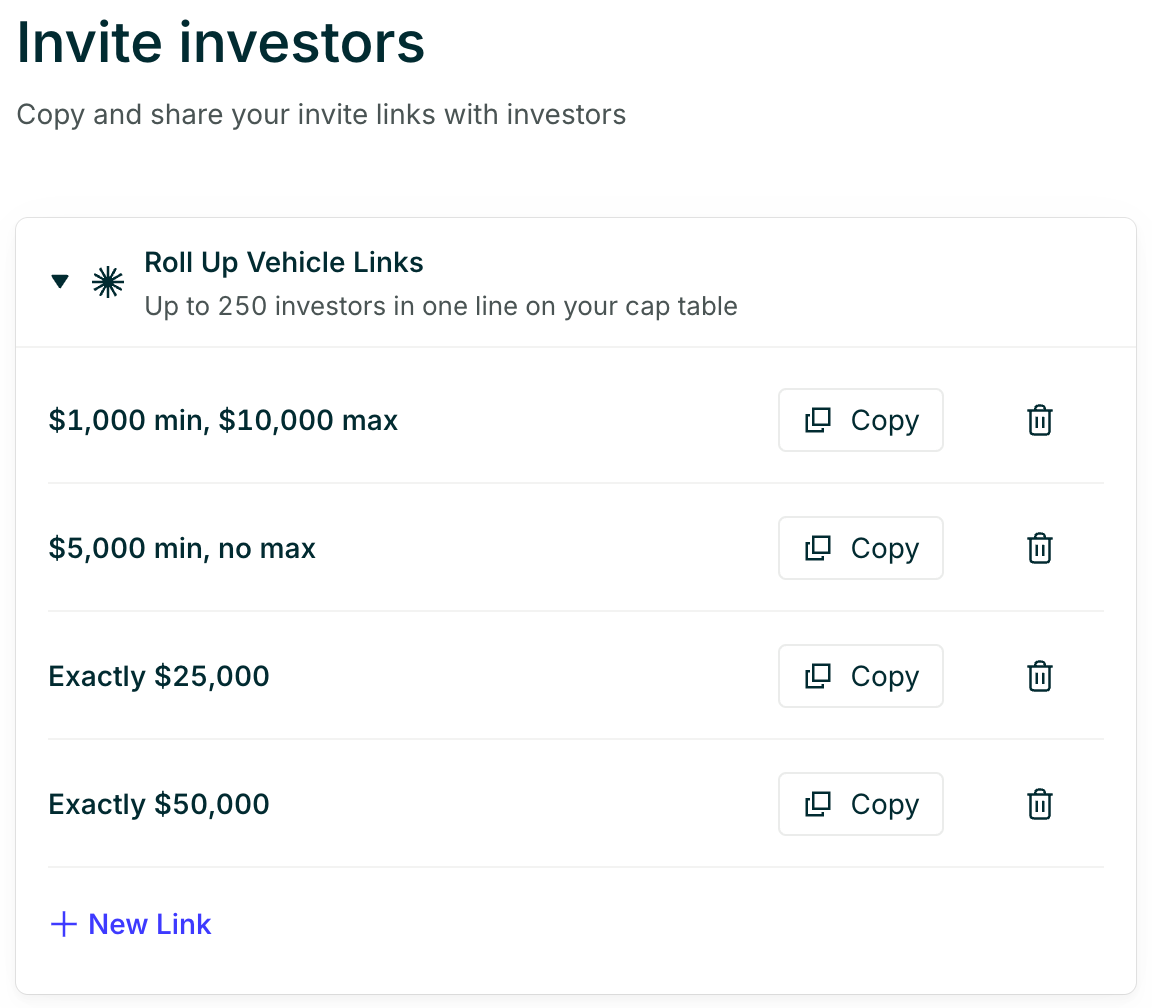
Can I share the RUV link publicly?
Most companies fundraise using a regulation called Regulation D 506(b), which allows startups to raise money and offer securities. While this regulation allows for fundraising, it restricts general solicitation or the marketing of securities. This means that you cannot share the RUV invite links publicly (Twitter, newsletters, press blogs, etc.) or publicly mention that you have a live RUV running. As a rule of thumb, we recommend only sharing your private invite link to invest with people in your pre-existing personal network.Can I change the terms of my deal?
Yes, you can make changes to your deal terms. That said, while some changes are simple updates, others may require us to notify the investors of the change. We’re required to notify investors in some instances to ensure that everyone is on the same page regarding the terms of their investment. For example, if an investor commits expecting one set of terms that are later materially changed, we’ll need to notify them. If helpful, feel free to contact us at team@rollups.com if you need to change any investment terms. We’ll help determine if the change requires investor notification.What counts as a “material change”?
A material change is anything that would likely influence an investor’s decision to invest or not.How does the notification process work?
Step 1: You contact us about a change at team@rollups.com or we’ll reach out to you if we notice a material change in the terms. Step 2: We’ll assess if it requires an investor notification. Step 3: We’ll align with you on the timing and messaging of the notice. Step 4: We send the notification email to all committed investors. Step 5: Investors will have 48 hours to let us know if they’d like to update their investment decision.Can I go over the allocation?
When you set up an RUV, you can indicate your target allocation for the RUV. However, this is merely for your own informational purposes - the amount you raise can be more or less than that. Investors do not see the RUV allocation amount. If you’ve raised more capital than what you want to have invested in the company, you can scale back LPs. There are usually two ways we see founders scale back investors:- All investors proportionally
- Reducing select investors
Is there a maximum investment amount in the RUV?
There is no maximum investment amount for an RUV. Companies have raised anywhere from $50K to $100M+ through RUVs. However, investor count limits still apply: if the RUV raises more than $12M, the accredited investor limit drops to 99, down from 249 for RUVs raising under $12M. When needed, RUVs can also support a parallel fund structure: a separate fund for qualified purchasers that can include up to 1,999 additional investors.How does a voting proxy work?
Generally, a proxy voting agreement can give you the right to vote on behalf of the RUV for non-material matters.What would be considered a material matter?
Material matters can generally be separated into two categories:- Anything impacting the rights, privileges, and responsibilities of the investors. Ex: If the preferred stock that investors acquire comes with certain rights and there is an instance where they could potentially lose those rights.
- Any changes to the company. Ex: If the company is preparing for IPO, going for a merger or major corporate restructuring (the company splitting off or rolling into another entity).